
True-shape nesting engine
Irregular shapes are rotated and interlocked to squeeze the most out of every sheet — not just bounding boxes. The same class of algorithms that tops international packing research.
Upload your DXF, SVG or DWG files, set your sheet size, and let our research-grade engine pack your parts tighter — in seconds. Built for laser, plasma, waterjet, plotter and CNC cutting. Save material, save time.
No credit card required · 10 free nestings every month
A focused tool that does one thing extremely well: packing your parts as tightly as possible.
Irregular shapes are rotated and interlocked to squeeze the most out of every sheet — not just bounding boxes. The same class of algorithms that tops international packing research.
Nest across as many sheets as your job requires, mix sheet sizes, and know exactly how many sheets to load into the machine — with the reusable offcut of every sheet shown right in the layout selector.
Set per-part quantities and allowed rotations — lock the grain direction when the material demands it.
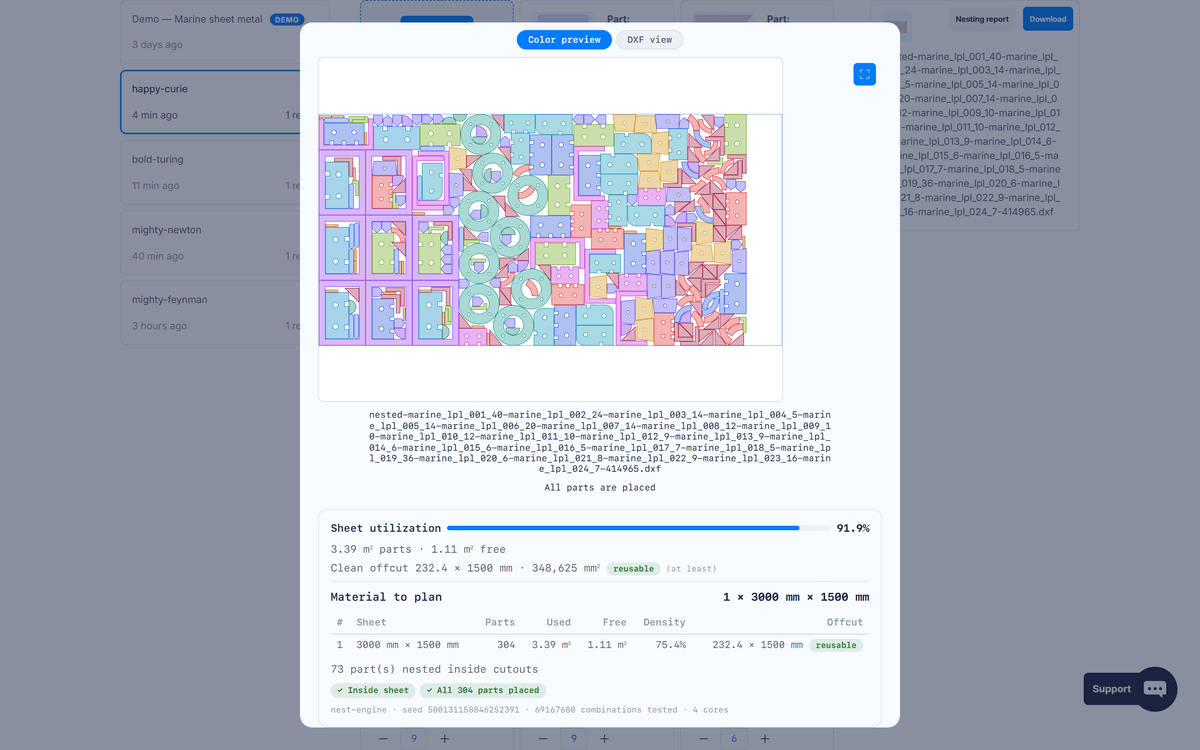
Small parts are automatically nested inside larger cutouts, and every layout reports its reusable offcut so remnants go back to stock, not to the bin.
New projects are 100% private by default: your file is parsed in your browser and never uploaded. Cloud files are visible only to your account and deleted automatically after 24 hours. Zero-knowledge encryption is available on every plan, including Free: your files are encrypted in your browser with a key only you hold — we never store it.
Download the nested layout as DXF for a single sheet, SVG for a preview, or a ZIP for the whole job — straight to your machine software.
Drop your files as they are: SVG sketches and DWG drawings are converted server-side into clean geometry — no pre-conversion needed, and the output is still a cut-ready DXF.
New here? A read-only demo project preloaded with 300+ sheet-metal parts is waiting in your workspace — launch a full-power nesting in one click, free, 10 times a month.
Every part gets its own color at import — follow it from the parts list to the live solve and the final colored preview. The production DXF keeps your original layers untouched.
Free jobs run the optimization right in your browser (WebAssembly) — and the results stay on your device. Paid plans choose per job: our servers or your machine.
Before anything computes, a geometry-aware pre-check tells you in milliseconds whether the job fits your sheets at your part spacing. If it doesn't, you get the exact levers — how many sheets, how many parts, or which spacing would make it fit. No minutes lost, no quota spent.
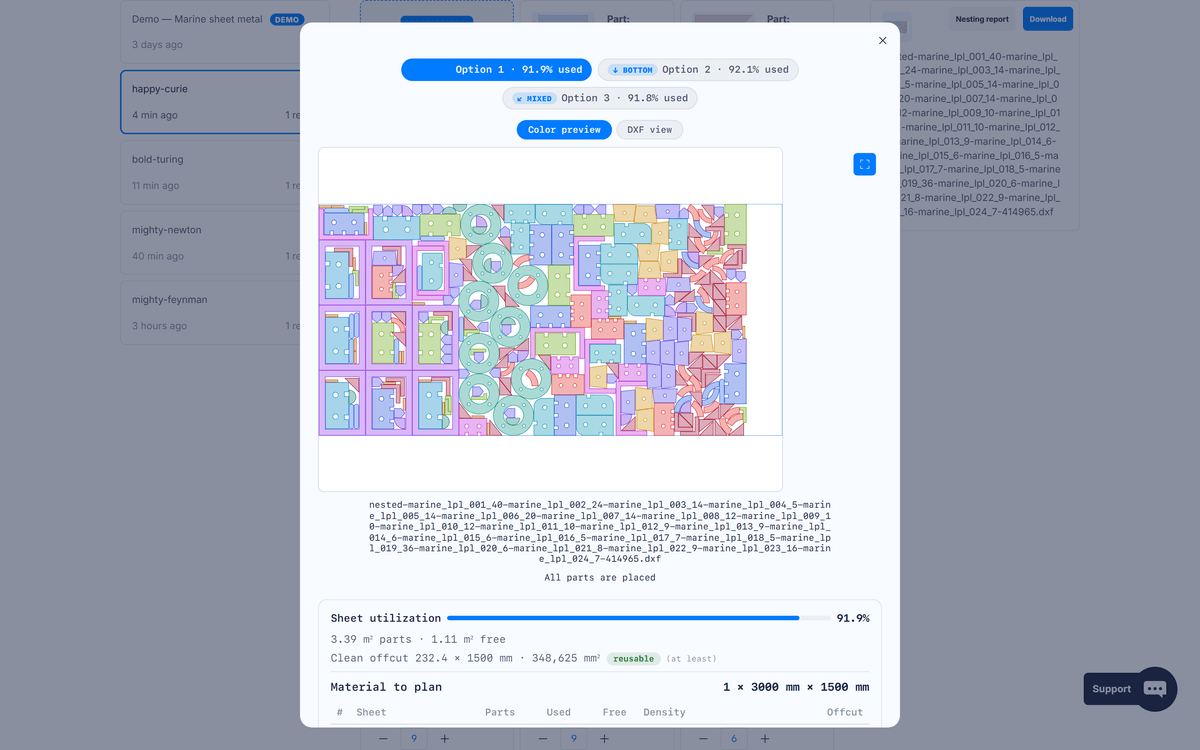
When your geometry suits it, every job proposes a canonical grid — perfectly regular, identical every run, ideal for repeatable production — next to the engine's densest compaction. Compare them sheet by sheet and offcut by offcut, then keep the final say.
The engine
Most online nesters hide their algorithm. Ours is built on published, peer-reviewed research — the same class of methods that tops international 2D packing studies.
NestorCut's engine is built on sparrow, the state-of-the-art strip-packing heuristic from KU Leuven, and a dedicated exact collision engine. Not a greedy first-fit — a modern separation-and-compaction optimizer, written in Rust.
After minimizing the used length, the whole layout is transposed 90° and re-optimized in a tight corridor — forcing parts into pockets other tools leave empty.
Small parts are nested inside the cutouts of larger ones as a first-class feature of the solver — often the single biggest source of savings on real-world jobs. One switch turns it off when your workflow forbids it.
Thousands of placement orders are explored in parallel. You get several distinct alternative layouts — and when the geometry suits it, a canonical Grid layout alongside the engine's densest compaction — and keep the final say.
The engine computes until convergence — every plan gets the same fully optimized result, just delivered faster on paid plans. And identical jobs produce identical layouts — every single time.
Perfect nesting is NP-hard — no one can guarantee a provably optimal layout. We get remarkably close in seconds, and we show you the numbers so you can judge. That honesty starts before the solve: a pre-check flags in milliseconds a job that cannot fit your declared sheets — with the exact levers that would make it fit.
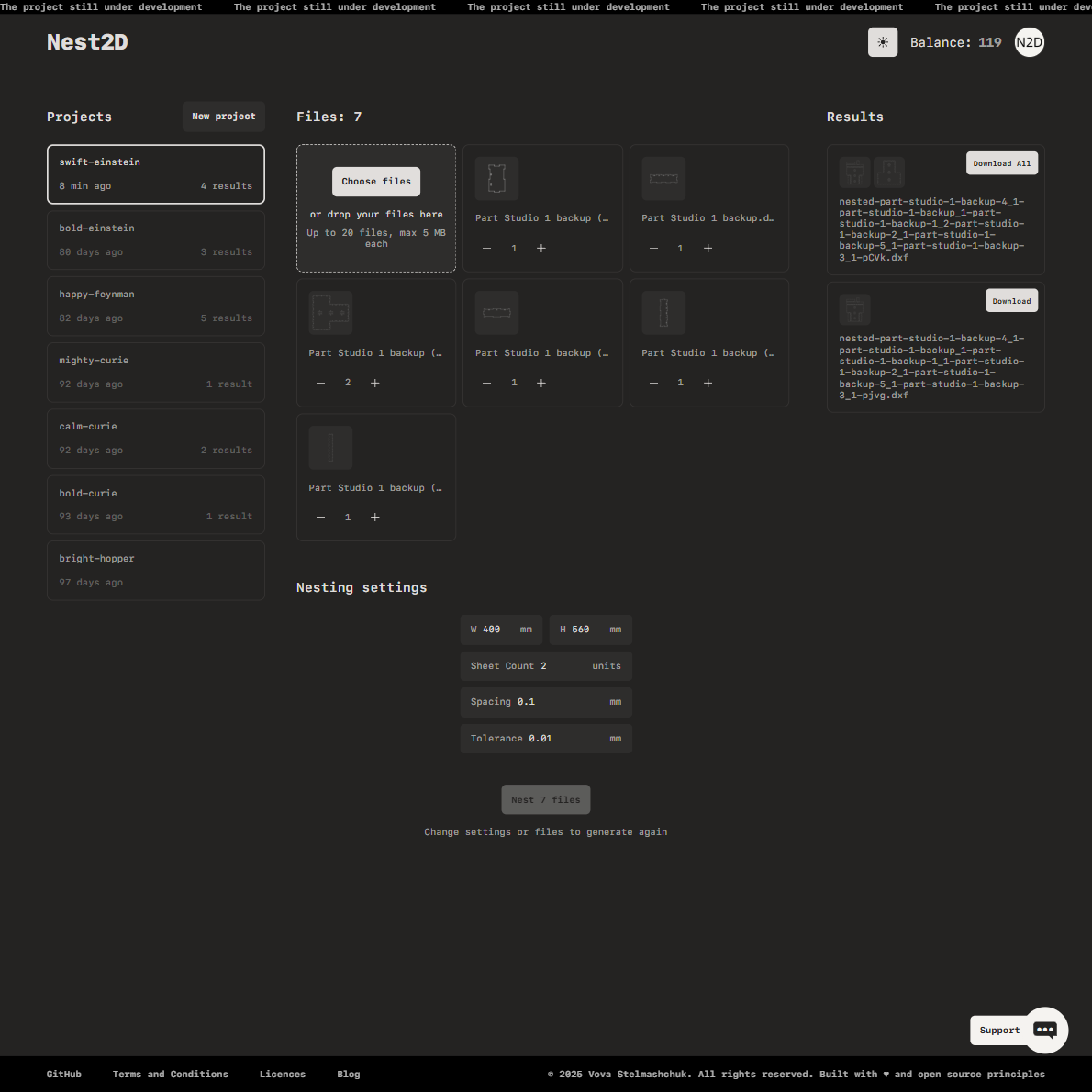
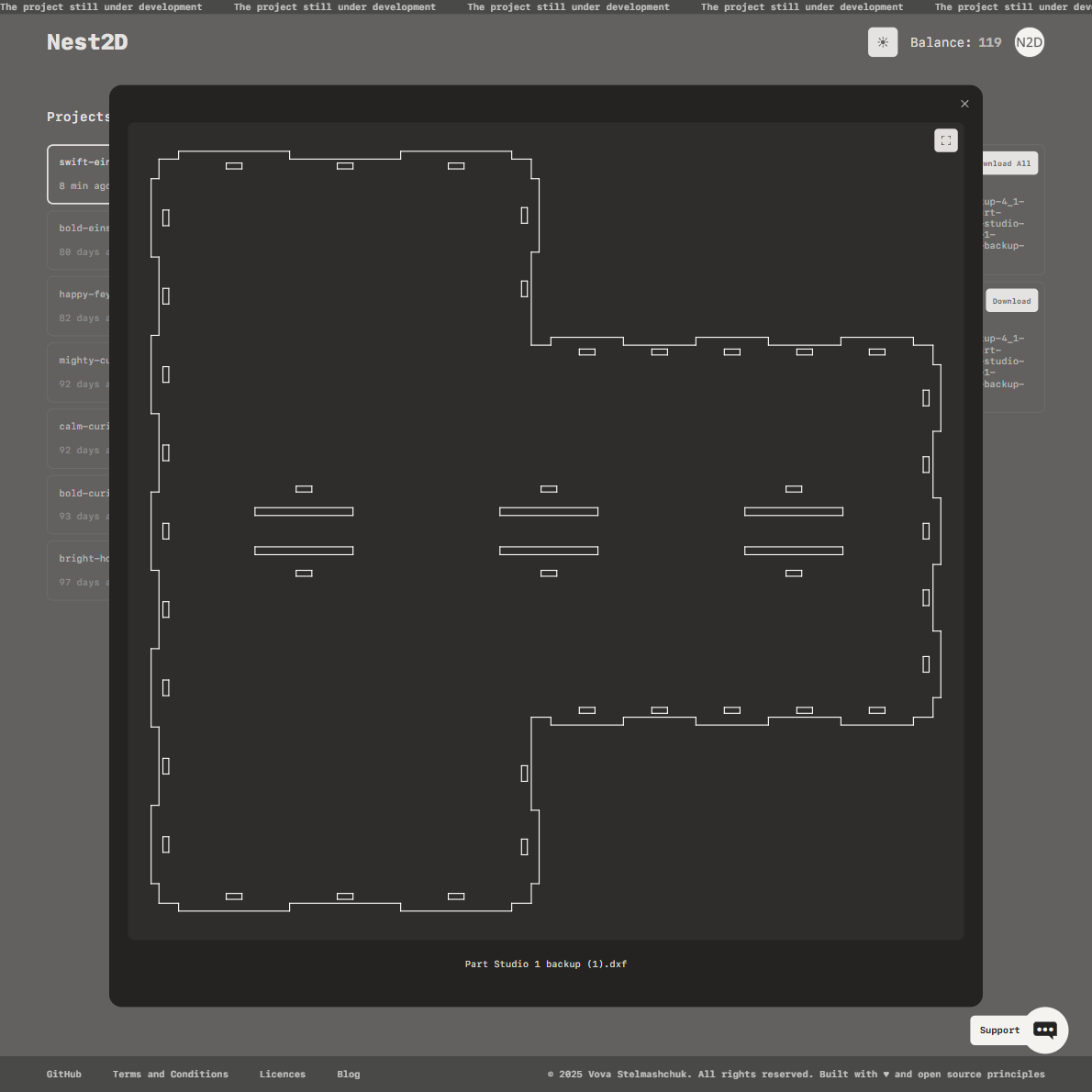
Drag and drop your DXF, SVG or DWG files. Each part is validated, rebuilt and previewed automatically.
Enter your material dimensions, part spacing (kerf) and rotation constraints. An instant feasibility check confirms the job fits your stock before anything computes.
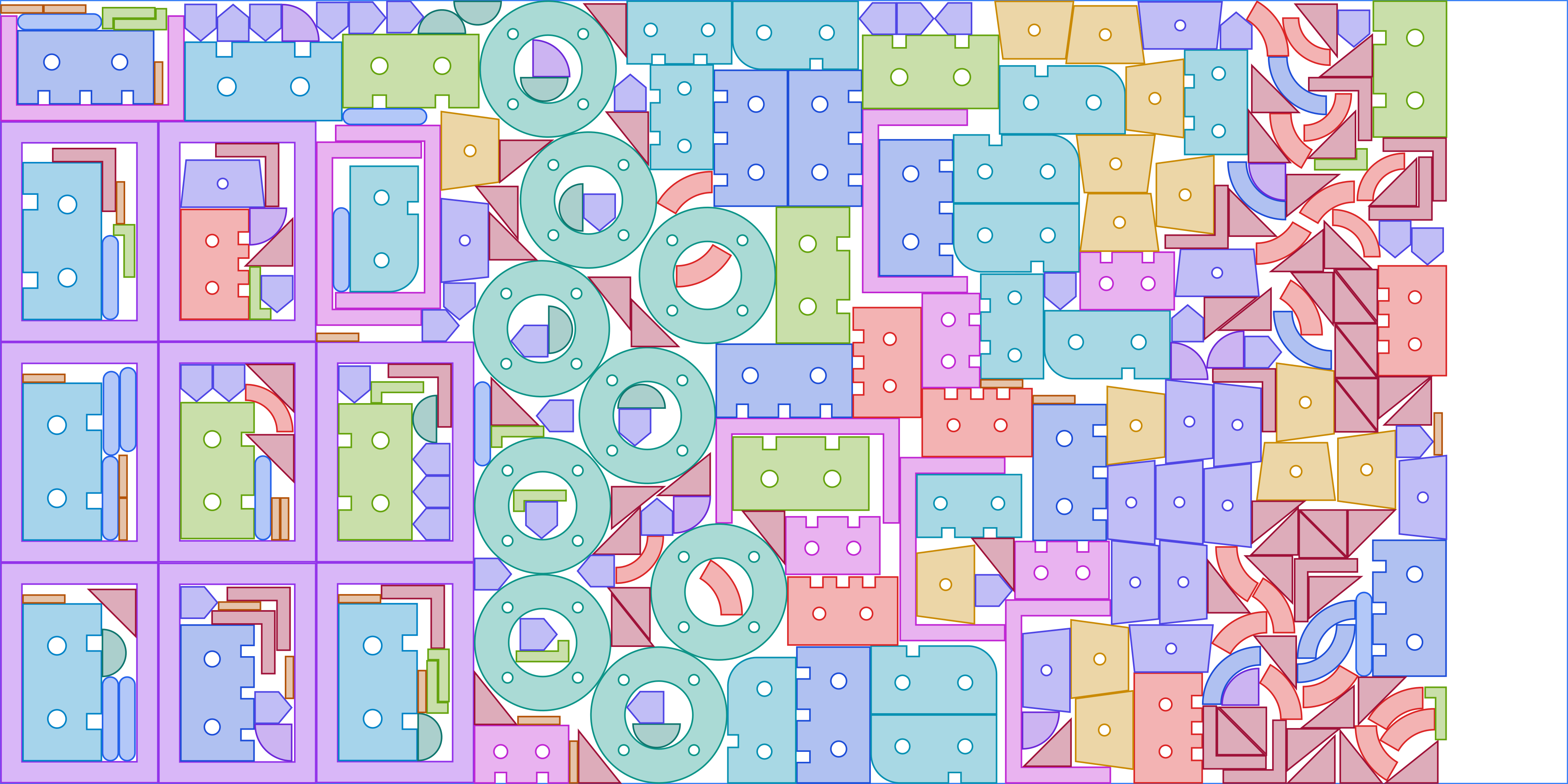
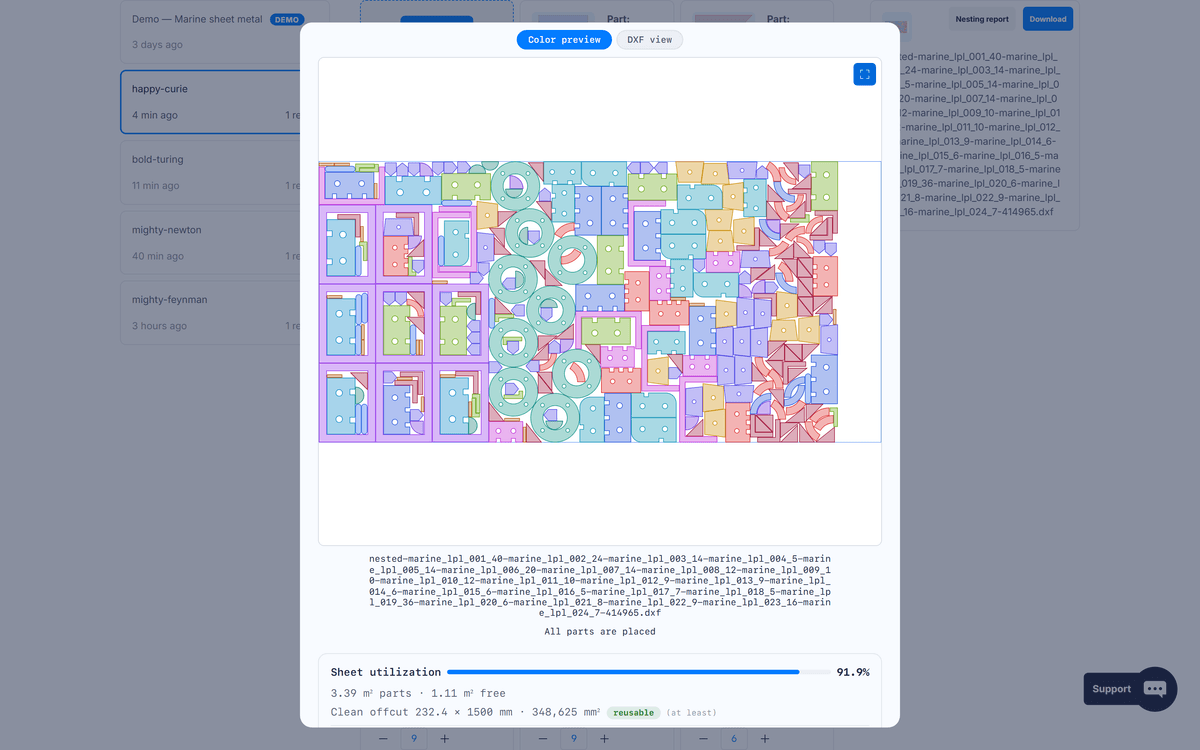
Compare the layout styles side by side — grid versus compaction, offcut by sheet — pick one, and download a ready-to-cut DXF — with the material you saved, in black and white.
One saved sheet of material usually covers the month.
€0 / forever
To try the engine on your own parts.
€19 / month
For makers and workshops that nest every week.
€39 / month
For businesses that want the fastest delivery on every job: maximum compute budget and priority queue.
Every plan — including Free — includes zero-knowledge encryption (opt-in), DXF, SVG and ZIP export. No credit card required to start.
Everything you need to know about NestorCut. Something else? Ask us — we answer fast.
Nesting is the process of arranging 2D parts on a sheet of material so that as little as possible is wasted. A good nesting engine rotates and interlocks irregular shapes to minimize scrap — directly cutting your material bill on every job.
Yes. Every account gets 10 free nestings every month, no credit card required — and a failed job never counts against your quota. Free jobs nest on up to 2 sheets per job. Need more? Unlimited starts at €19/month with a 7-day free trial.
NestorCut works with DXF, SVG and DWG files — SVG and DWG are converted automatically on import. The output is a clean DXF per sheet (plus colored SVG previews and a ZIP of the whole job) that loads directly into your machine software.
Yes. Small parts are automatically placed inside the cutouts of larger ones, and a two-phase compaction pass pushes parts into remaining pockets. That is where the biggest material savings usually hide.
New projects are 100% private by default: the file never leaves your machine. For cloud projects, uploaded files and results are only visible to your account and automatically deleted after 24 hours. For maximum confidentiality, zero-knowledge encryption is available on every plan — including Free: your files are encrypted in your browser with a key only you hold, and we never store it.
Unlimited is €19/month, cancel anytime, with a 7-day free trial (no charge until it ends). Pro at €39/month adds the largest compute budget and priority queue for the fastest delivery.
Cancel anytime from your account — no lock-in. Every paid plan comes with a 30-day money-back guarantee, no questions asked. Full details in the refund policy.
Perfect nesting is a computationally hard problem with no guaranteed optimal solution. NestorCut uses a modern separation-and-compaction engine with simulated annealing and a two-phase bi-axial pass to deliver dense, practical layouts — and it shows you several alternatives, including a canonical grid when the geometry suits it, so you keep the final say.
Both are possible. On the Free plan, jobs run in your browser (WebAssembly): the optimization computes on your device and the results are stored only there. Paid plans compute on our servers by default — the fastest delivery — and any job can be switched to your own device with one toggle. With the default 100% private project the file never leaves your machine at all; cloud uploads are only visible to your account and deleted automatically after 24 hours.
The job is refused before any compute — in milliseconds, not minutes — with three concrete levers: how many sheets you need, the maximum number of parts that fit at your spacing, and the maximum spacing that fits your parts. One click applies any of them. And when the stock is just barely too tight, NestorCut delivers the best partial layout it can, clearly marked with the unplaced count and the same levers. A refused job never costs a nesting credit.
Create your account and get 10 free nestings every month — no credit card required. A preloaded demo project is waiting for your first click.
Start nesting for free